

 Type Scale.
Aa
Poppins
Headings & UI Emphasis
Poppins brings a bold, modern and tech-forward personality to headings & key interface elements.
Mobile & tablet version coming soon
I'm still fine-tuning this portfolio for phones and tablets. For the full experience, please open it on a laptop or desktop.
Tip: copy this link and open it on your PC.
Nova Cart is a futuristic electronics marketplace designed to make discovering and exploring tech products feel simpler, more focused, and more engaging. I designed the experience around the needs of gamers, PC builders, tech enthusiasts, students, and content creators.


An overview of the project, the purpose behind it, and the people it’s designed for—

Nova Cart is a self-initiated e-commerce concept focused exclusively on electronic products. I designed it as a focused marketplace where users can discover, explore, and evaluate tech products without feeling overwhelmed by unnecessary content. The goal was to create a clear and engaging shopping experience that keeps product discovery simple while giving users enough information to make confident decisions.
The experience is built around a clean product hierarchy, category-based discovery, and a visually engaging interface. My goal was to create something that feels modern and premium while still keeping the shopping experience simple and easy to navigate.
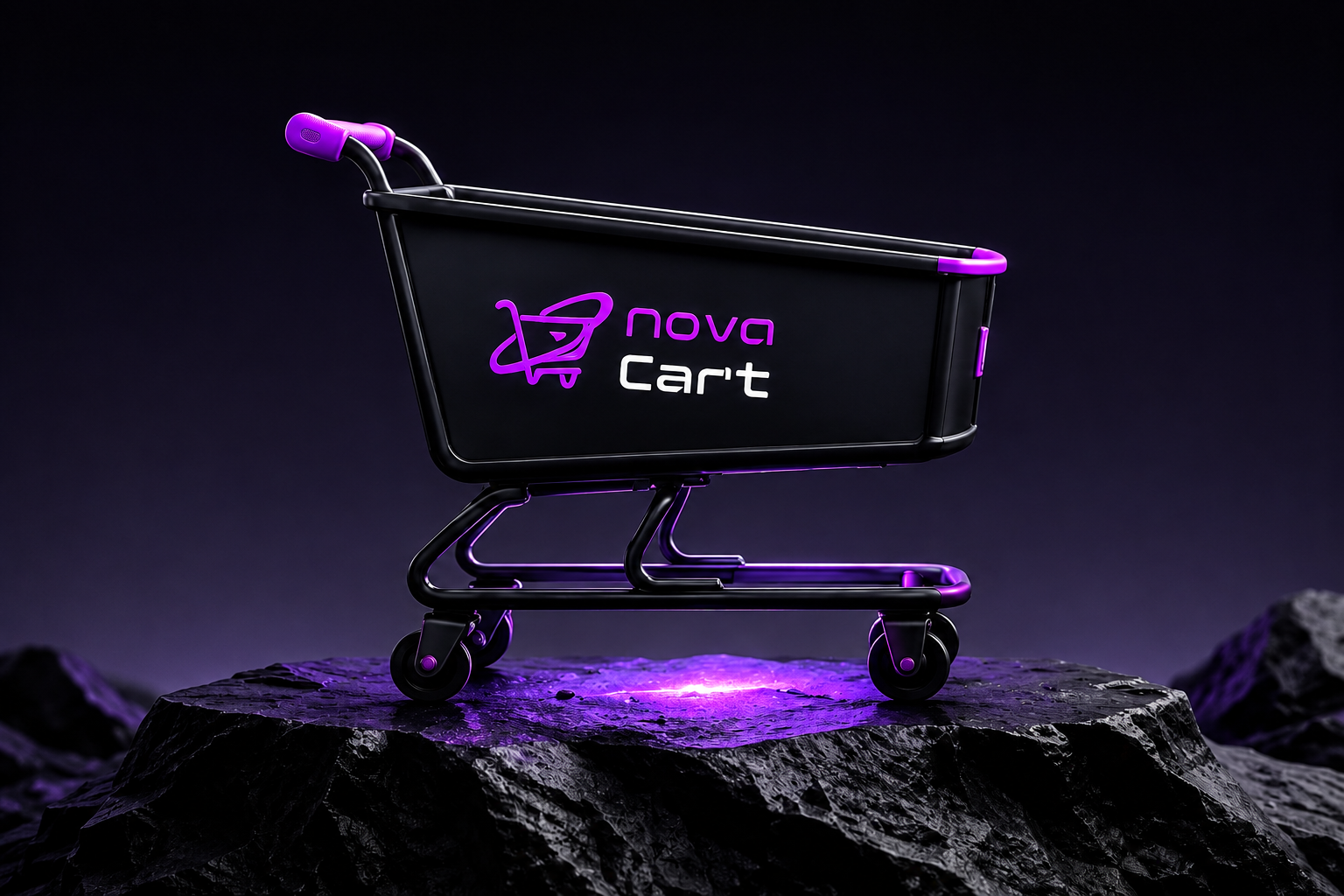

The goal was to create a focused shopping experience for people looking to explore and purchase electronic products based on their specific needs.
Instead of trying to compete with large, general-purpose marketplaces, I wanted Nova Cart to have its own identity and feel more focused around technology. The interface was designed to make product discovery feel straightforward while giving users enough space to explore similar products before making a decision.

Make it easier to find relevant products quickly.

Create a modern and engaging experience that feels premium.

Nova Cart was designed with people who regularly explore technology products in mind — including gamers, PC builders, tech enthusiasts, students, and content creators.
These users may approach a product with different needs, whether they are looking for a gaming setup, upgrading their existing hardware, finding a new accessory, or simply exploring the latest technology. I wanted the experience to make that exploration feel clear, visual, and easy to follow.
 Gamers
 PC Builders
 Tech
Tech Students
 Content
I worked as the UX/UI Designer for the project, taking the design from the initial concept through the visual interface and prototype. Then I defined the typography and visual direction, explored early wireframes, developed the color palette and branding, designed the navigation & core interface, and refined the experience through different design iterations.
I also used AI as a supporting tool for some design exploration and content assistance while keeping the overall design direction and decisions under my control.
Typography, visual direction & brand identity

Early wireframes and layout exploration

Interface, color palette, branding & visual system

Connected key screens into an interactive experience.

Refined layouts, visual details, & interactions


Finding the right product can become difficult when too many options compete for attention. Electronic marketplaces often contain large product catalogs, making it easy for users to lose focus while browsing through different categories and options.
The challenge was to create a shopping experience that could handle a wide range of electronic products without making the interface feel crowded or difficult to navigate. I wanted the experience to feel structured and visually clear, so users could focus on the products rather than the complexity of the marketplace.

Too many products, filters & details create cognitive load and slow
down
decision making.

Similar products with small differences make browsing confusing &
time
consuming

Irrelevant content and accessories distract users from the product they
actually
want

Before designing the interface, I mapped the key paths users would take across Nova Cart
to create a clear and purposeful experience.
I considered how users would move from discovering products
and exploring offers to understanding the brand and reaching out for support.
This helped each screen
serve a clear purpose while keeping the overall experience consistent, easy to navigate, and focused.

Discover featured products, categories, and offers.

Explore offers & compare products at a glance.

Understand Nova Cart’s purpose, values & approach.

Find the right channel to ask questions or get support.
DESIGN EXPLORATION
I used wireframes to test how shoppers could move through the homepage and scan product information. Refining the structure helped make the next step easier to find without adding more visual noise.
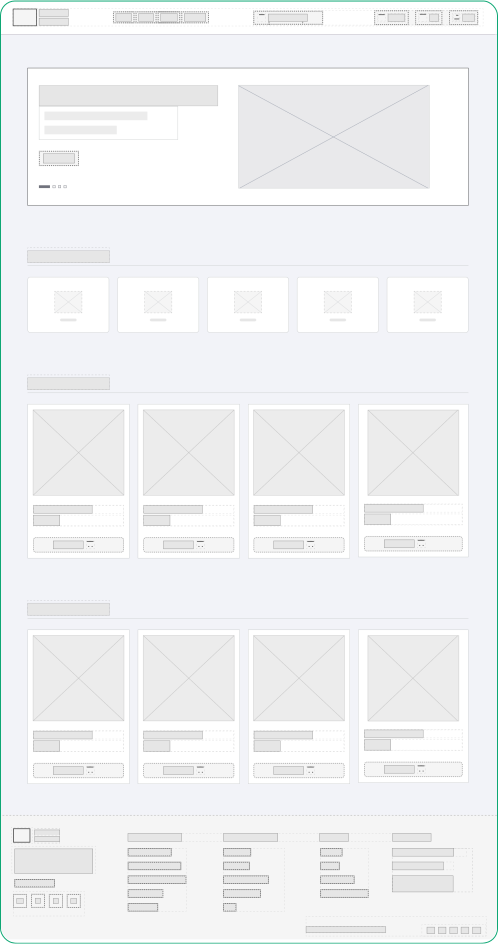
A first pass to map the main sections, navigation, and product content.
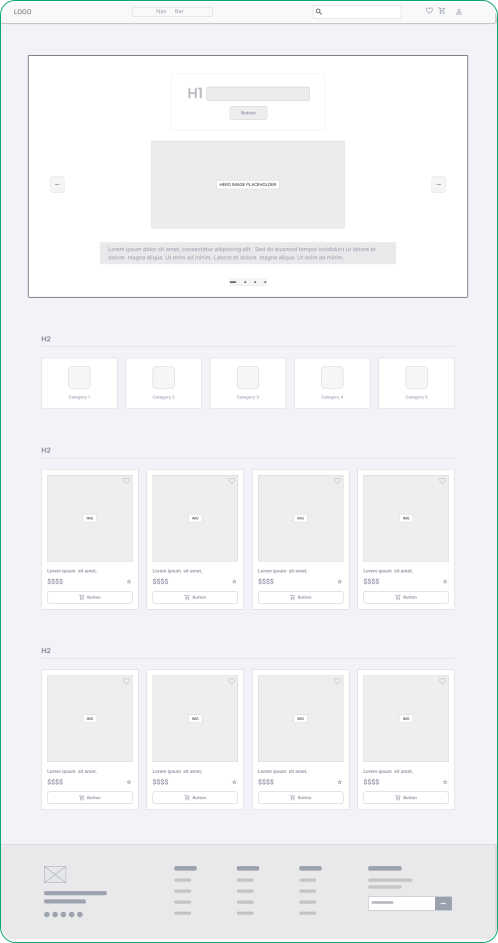
A more considered layout that gives categories and key product details clearer priority.

Once the overall flow was clear, I started exploring how the experience could translate into individual screens. I worked through different layouts for navigation, product categories, and content placement while keeping each screen easy to scan.
I kept the early wireframes simple so I could focus on spacing, hierarchy, and key actions before moving into detailed visual styling. I also explored how product information could be presented without making the screens feel too dense. This helped me refine the layouts, remove unnecessary elements, and create a more consistent structure across the experience before moving into the final design.

01 — Clear Hierarchy
Product imagery, pricing, and key actions take priority.

02 — Simple Scanning
Content is grouped into clear sections for quicker browsing.

03 — Focused Layouts
Unnecessary elements were reduced to keep screens clean
& easy to follow.
I explored different homepage structures to understand how navigation, product discovery, and supporting content could work together. The wireframes helped me establish a clear hierarchy and browsing flow before moving into visual design.
Initial structure & content exploration
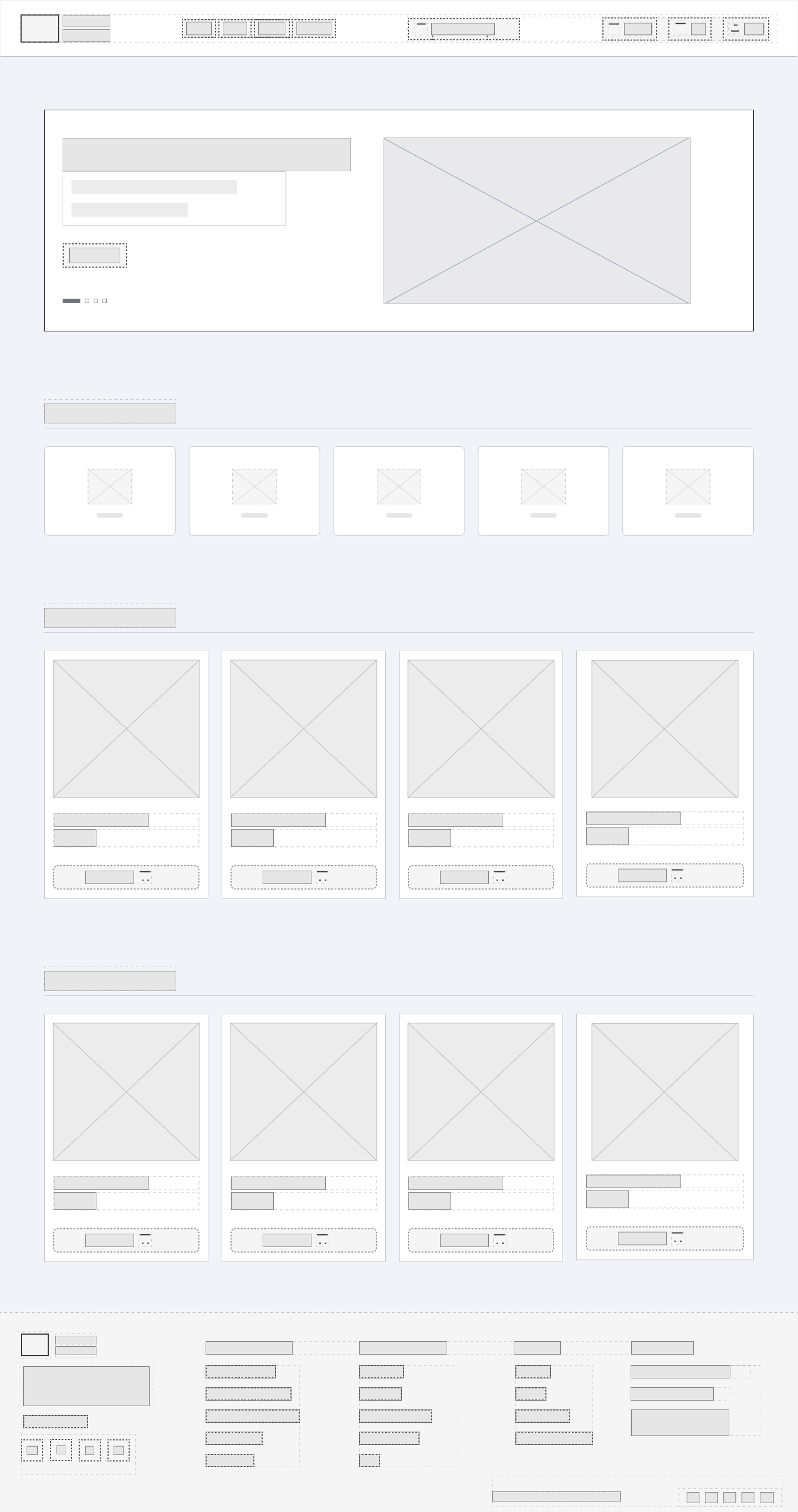
Refined hierarchy & page structure
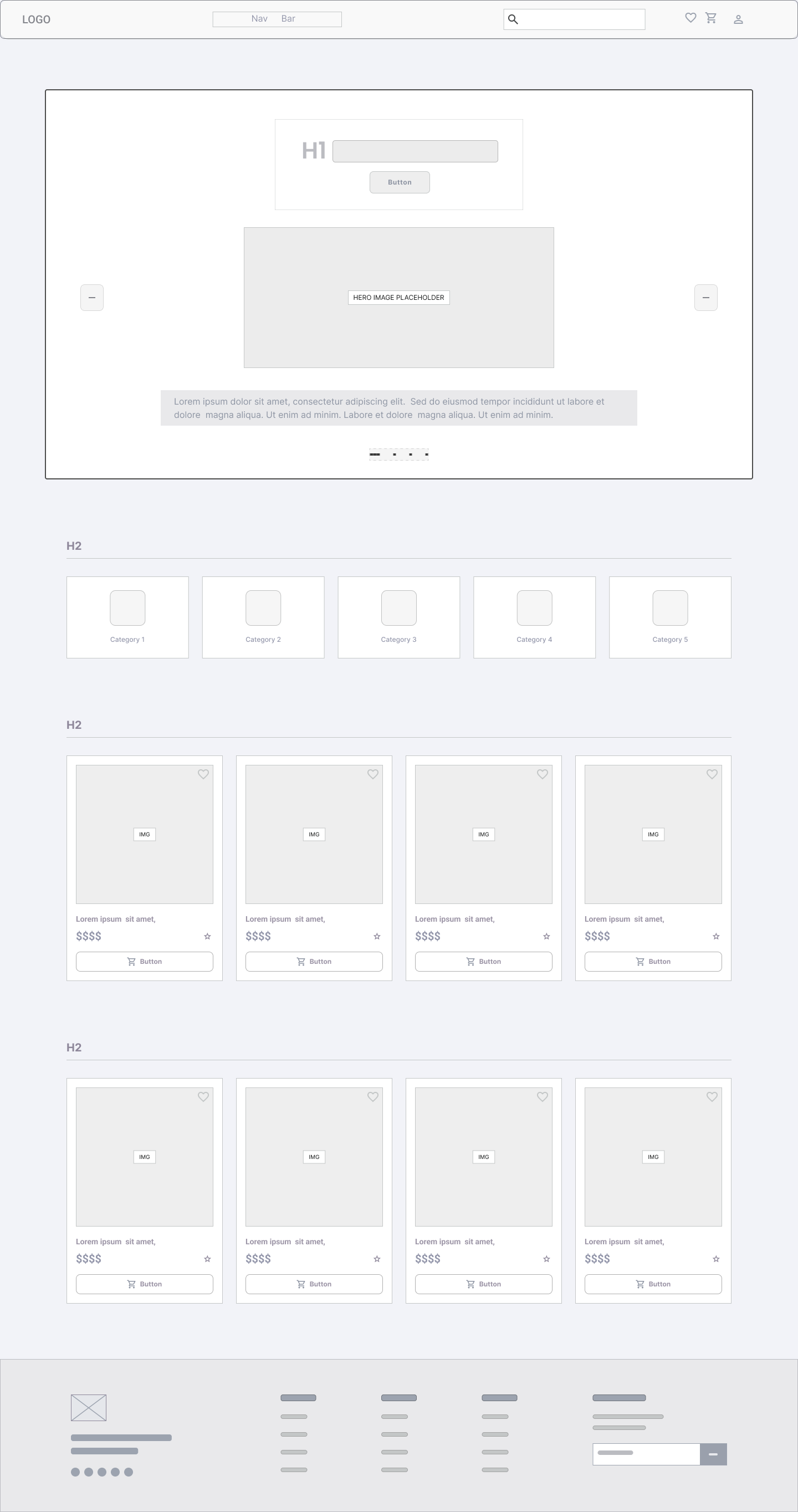


Navigation and key actions are structured for easier access.

Sections are organized into a cleaner and more consistent layout.

Product details are easier to scan and understand.

Categories are highlighted upfront to help users find what they need quickly.

With the structure in place, I moved into shaping Nova Cart’s visual direction. The focus was to create a modern, premium interface that keeps product discovery clear while giving the brand a distinct and recognizable identity.
Typography plays a key role in creating a clear visual hierarchy and a smooth reading experience across Nova Cart. I selected a combination that balances modern character with highly readable body text.
| Style | Font & weight | Line height | Use case |
|---|---|---|---|
| H1 : Heading 1 | Poppins Bold | 50/60 | Main page headings, hero sections |
| H2 : Heading 2 | Poppins Semi-Bold | 42/52 | Section headings, category titles |
| H3 : Heading 3 | Poppins Medium | 34/44 | Sub-sections, important labels |
| H4 : Heading 4 | Poppins Medium | 26/36 | Card titles, smaller headings |
| H5 : Heading 5 | Poppins Regular | 18/28 | Buttons, CTAs, interactive elements |
| Body Text : 1 | Roboto Bold | 16/24 | Primary content, descriptions |
| Body Text : 2 | Roboto Medium | 14/22 | Supporting content, secondary info |
| Caption Text | Roboto Regular | 12/18 | Captions, hints, meta information |
Headings & UI Emphasis
Poppins brings a bold, modern and tech-forward personality to headings & key interface elements.
Body & Supporting Text Emphasis
Roboto ensures high readability for longer content, descriptions & supporting information.
I use a consistent set of font weights to
maintain hierarchy and readability.
I built a focused color system around Nova Cart’s dark visual direction, using purple as the primary accent to create contrast, guide attention, and give the interface a distinct identity.
These colors form the foundation of Nova Cart’s visual identity.
#F700FBPrimary accent and key actions
#0F1115Main background
#1C1F2ACards and elevated surfaces
#FFFFFFPrimary text and CTAs
#8E95A3Secondary text and
subtleUsed for states, feedback, and supporting UI elements without competing with the primary accent.
#24242C#22C55E#F59E0B#EF4444#3882F6This palette is designed to create a clear hierarchy and consistent experience across all screens.
 Contrast
Dark surfaces create a strong base for text and interface elements, improving readability.
 Focus
FocusPurple color draws attention to important actions and interactive elements across the experience.
 Consistency
Supporting colors communicate system states without changing the overall visual language.
I turned the visual direction into reusable UI components to keep the experience consistent, clear, and easy to scale across Nova Cart.


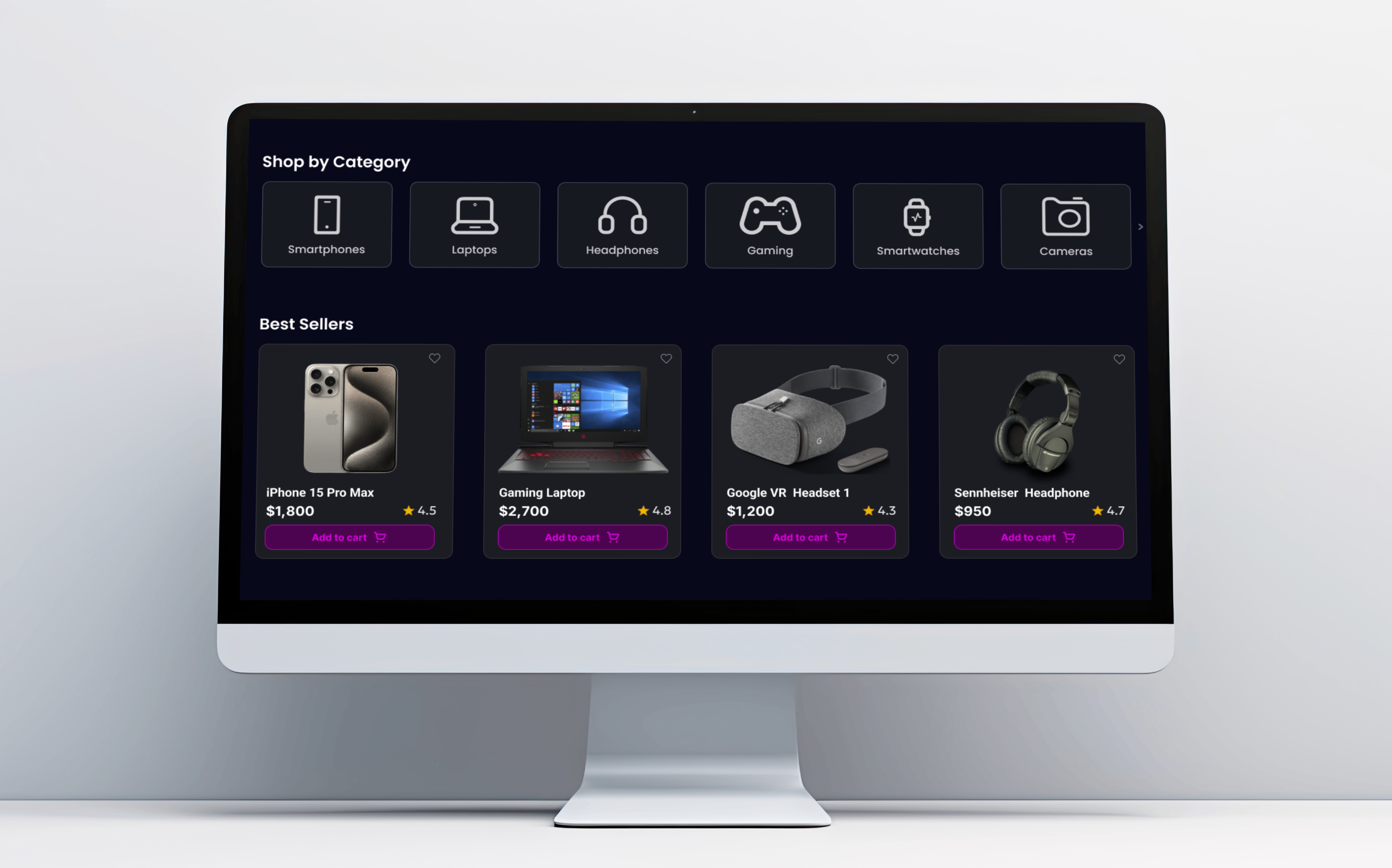
Product cards are designed to present key information clearly and help users take action quickly.
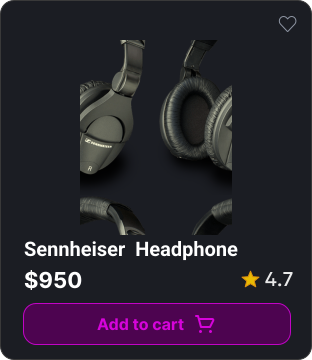
Allows users to save items they like for later.
High quality image to showcase the product
clearly.
Clear & concise name of the product for quick identification.
Keeps price and ratings visible at a glance for quicker decisions.
Add to cart is the main CTA that drives user action.

With the visual system in place, I applied the same design principles across Nova Cart’s key screens. Each page was designed around its own purpose while keeping the overall experience consistent, clear, and easy to navigate.
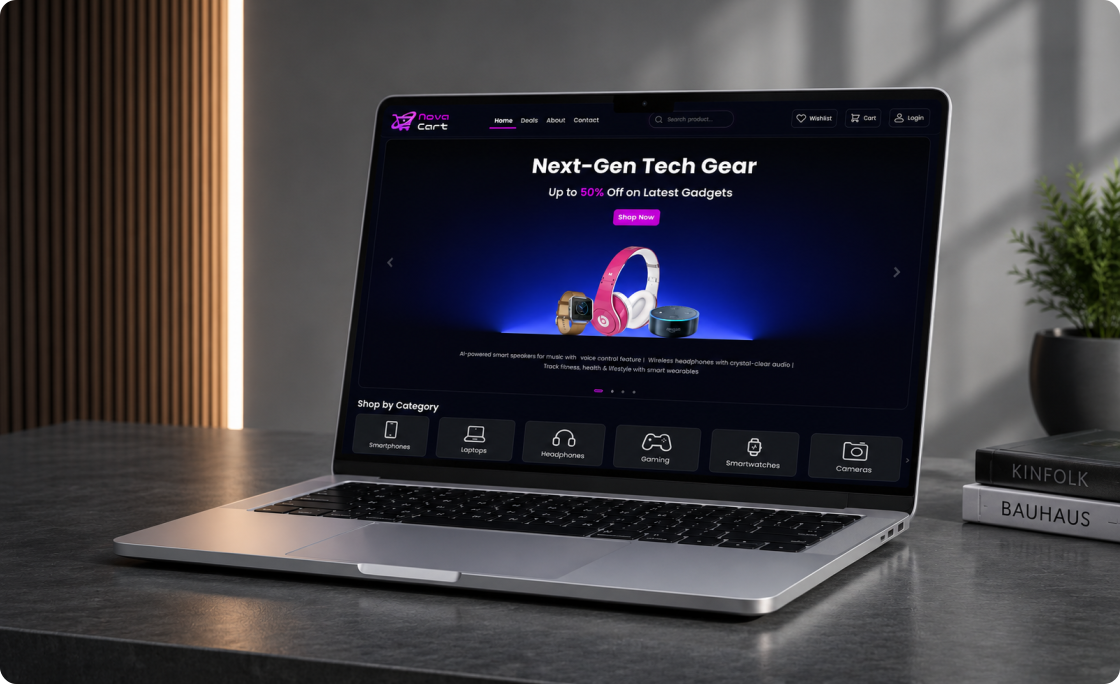
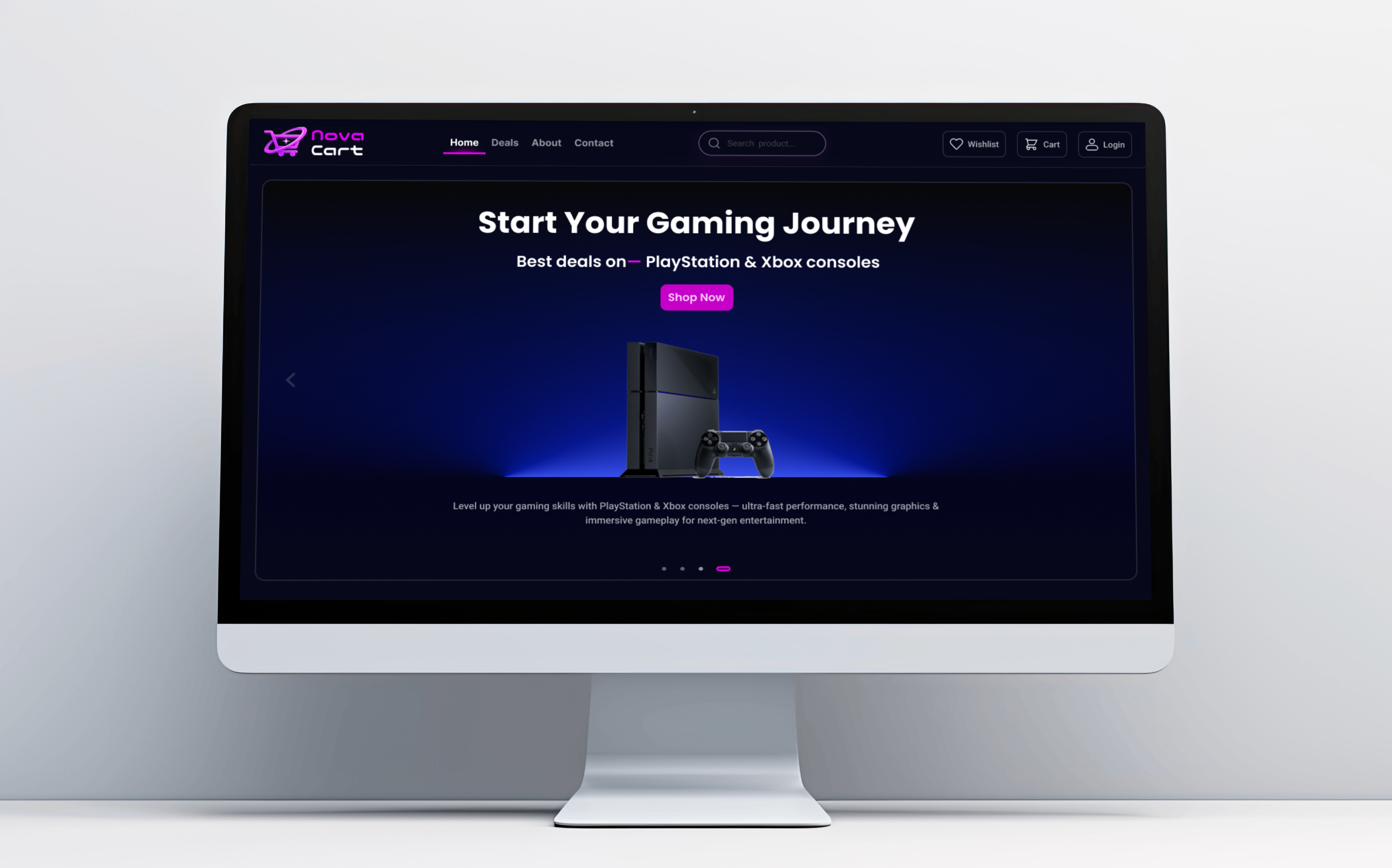
The main entry point of Nova Cart, designed to introduce the brand, highlight key products, and guide users toward shopping.
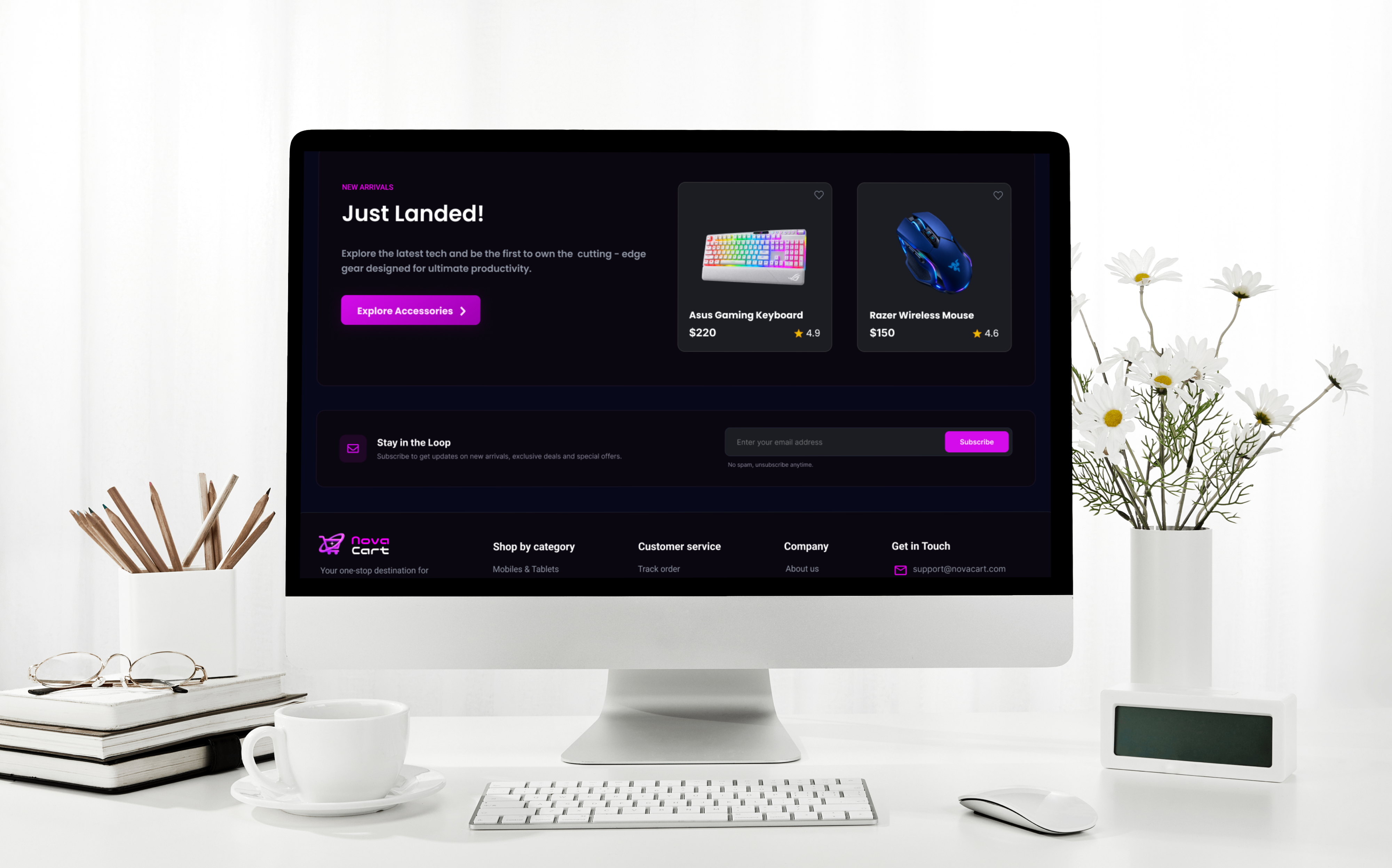
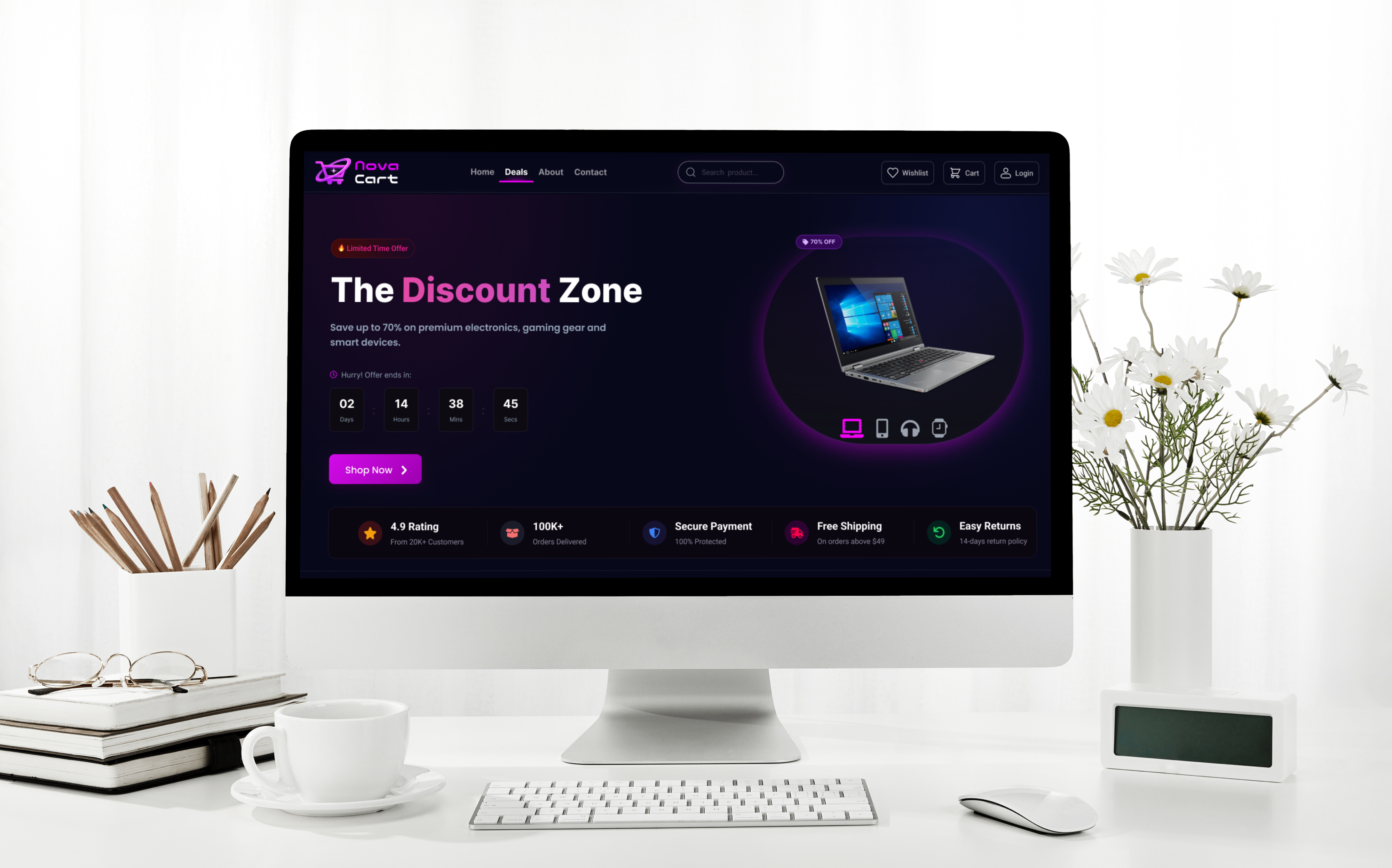
A focused shopping experience that makes offers easy to discover, compare, and act on without overwhelming the user.

Designing Nova Cart helped me look beyond individual screens and think about the experience as a whole. From structuring the user journey to building a consistent visual system, each decision had a clear purpose: making the experience easier to understand, explore, and navigate.
Great design starts with clarity and purpose. Visual hierarchy, content, and interaction should work together to help users understand what matters and what to do next.

User clarity, hierarchy, and flow come first.
I became more confident in creating a consistent design system— carrying the same hierarchy, spacing, components, and interaction patterns across different pages.
From individual screens to a unified experience.
I’d take the concept further through responsive layouts, accessibility improvements, and usability testing to understand how real users experience the product.
More testing, more learning, better
experiences.

Your time and attention truly mean a lot.
Open to new opportunities and creative collaborations. Feel free to reach out.
digvijay0x@gmail.com